Automation intelligence

Where Trading Intelligence Becomes Action.

Connect signals, strategies and AI agents to one automation layer. Build automated workflows, run trading engines, and send orders to every account you already hold, where your own broker executes them.

Signals · Automation · Trading engines · AI agents · Multi-broker reach

Stocks · ETFs · Options · Crypto, sent to the brokerage accounts you already hold.

Two ways to start

An external alert is one way in. Not the product.

Bring the signals you already send, or create them here. Either way the strategy, the risk rules, the broker and the record are the same ones, which is the difference between this and a webhook relay.

PATH A

Bring your signal

Any tool that can send a request can start a strategy here: a TradingView alert, your own script, a scanner, a colleague's webhook. KuantSignal turns the event into a qualified, sized, risk-checked order rather than passing it straight through.

  1. Signal received
    POST /webhook
  2. Conditions checked
    strategy matched · rule true
  3. Position rules applied
    12 · LIMIT
  4. Guardrails run
    AI-SIZE-01 · AI-EXPOSURE-02
  5. Execution monitored
    submitted → filled → open
Connect a signal
PATH B

Build the signal here

KuantEngine makes the signal itself. Indicators, conditions across timeframes, entries, exits and risk in one declaration, with no external alert source to depend on.

KuantEngineQQQ
Strategy statearmed
  • RSI(14) 1h crosses above 30
    30.6
    confirmed
  • PRICE 1d > SMA(20)
    442.31 / 439.64
    confirmed

Both conditions confirmed on closed bars. The strategy is armed and the entry is prepared.

Explore KuantEngine

Illustrative data. The instrument, prices, strikes, expiry and figures shown are examples chosen to show how the product works. They are not live market data, not a trade, not an opinion about any instrument, and not a recommendation.

Start anywhere. The lifecycle after that is one system.

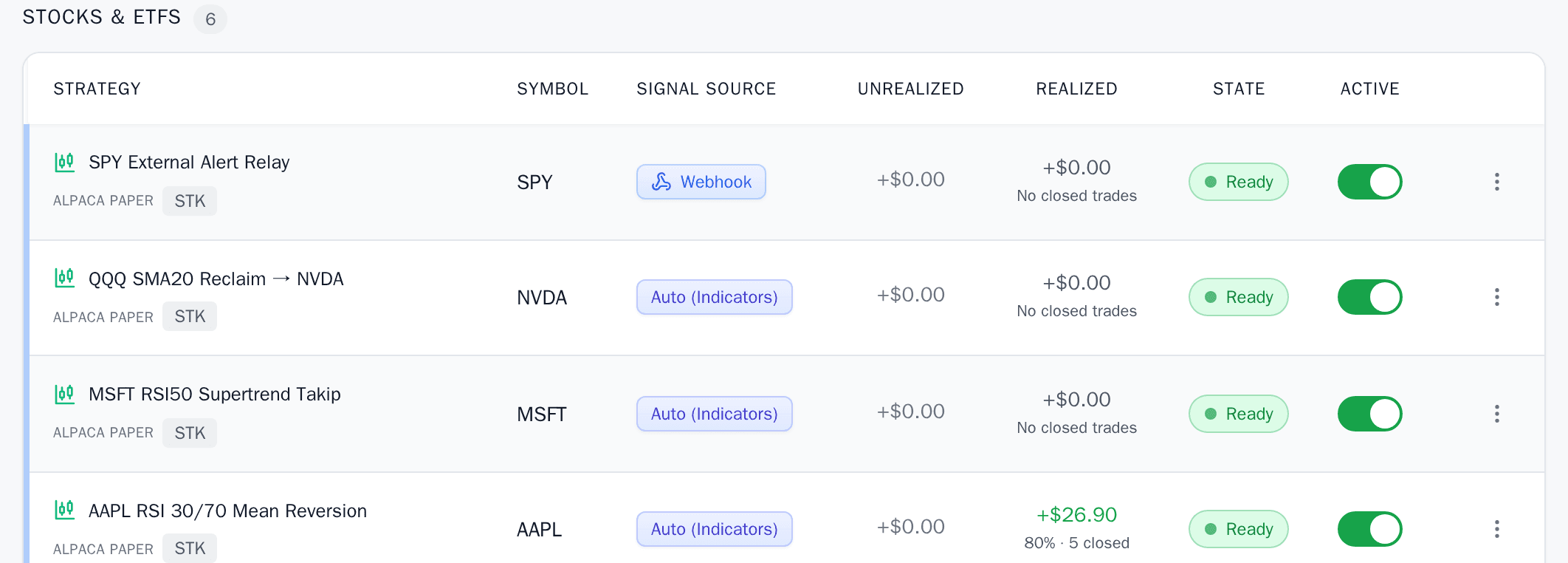
The strategies list of one account: four strategies in a single table, one fed by a webhook and three by indicator conditions, each with its signal source, its state and an active switch.
One account, one list. The signal source column is the only thing that says which way a strategy was started, and after that they are the same object.

Features

Everything a strategy needs, in one place

Bring the signal or build the rule. What happens after that is the same system either way, and none of it is a second product you have to wire up.

  • Webhooks

    Send signals from your charting tool to one address, scoped to a single strategy.

  • Indicator automation

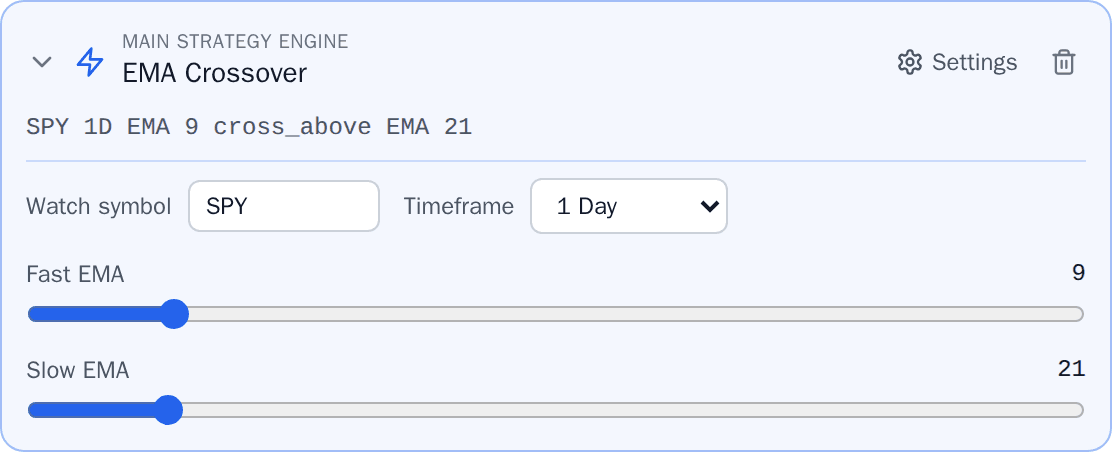
    Or build the rule here, on the timeframe you choose, in the engine's own vocabulary.

  • Multi-timeframe

    A daily trend filter and a fifteen-minute trigger belong to the same rule.

  • Cross-symbol signals

    Watch one symbol and trade another. QQQ's RSI can open an NVDA position.

  • Multiple asset classes

    Stocks, ETFs, options and crypto, in one workflow rather than four.

  • Options automation

    Spreads as rules of their own, with an expiry resolved again every time one fires.

  • Defined risk

    Structures whose maximum loss is known before the position opens are marked as such.

  • Stops, targets, time exits

    Part of the same declaration as the entry, not a second screen you remember later.

  • Position sizing

    By quantity, by amount, or by a share of the account, decided when the rule fires.

  • Session control

    Keep a rule from firing into a thin pre-market book. Crypto trades around the clock.

  • Risk guardrails

    Rules and gates that can refuse an order before it leaves for your broker.

  • Backtesting

    Replay a rule on the engine that trades it live, reading recorded bars instead.

  • Paper trading

    Rehearse on a paper account for as long as you like before it costs anything.

  • Multiple accounts

    Every connection in one view, each reporting its own balance and what it covers.

  • Unified portfolio

    Positions split by the rule that opened them rather than netted into one line.

  • Notifications

    Fills, exits, and closes that happened at the broker, by email, push and in-app.

  • AI-native trading

    The same vocabulary over a machine interface, with the confirmation kept for you.

  • Audit trail

    Watching, armed, triggered, managing, closed. Every state change is written down.

  • ADX
  • AROON
  • ATR
  • AWESOME_OSCILLATOR
  • BB_BANDWIDTH
  • BB_PERCENT_B
  • BOLLINGER_BANDS
  • CCI
  • CHAIKIN_OSCILLATOR
  • CHANDE_KROLL_STOP
  • CHANDE_MOMENTUM
  • CMF
  • COPPOCK
  • DEMA
  • DONCHIAN_CHANNEL
  • DPO
  • EFI
  • EMA
  • ENVELOPES
  • EOM
  • FISHER_TRANSFORM
  • HMA
  • ICHIMOKU
  • KAMA
  • KELTNER_CHANNEL
  • KST
  • KVO
  • LINREG
  • MACD
  • MFI
  • MOMENTUM
  • OBV
  • PARABOLIC_SAR
  • PIVOT_POINTS
  • PRICE_CHANNEL
  • RMA
  • ROC
  • RSI
  • RVGI
  • SMA
  • SMI
  • STDDEV
  • STOCHASTIC
  • STOCH_RSI
  • SUPERTREND
  • TEMA
  • TREND_STRENGTH
  • TRIX
  • TSI
  • VOLUME_MA
  • VWAP
  • VWAP_DISTANCE
  • VWMA
  • WILLIAMS_R
  • WMA
  • WOODIES_CCI

One vocabulary underneath all of it, whether a rule was written here, sent from a chart, or drafted by an agent. That is the part that cannot be assembled from separate products, because it is the part that has to agree with itself.
The lifecycle

More than signal routing. A whole strategy life.

A relay has one of these stages. The distance between a webhook service and this is the other six: a validation that can refuse, a monitor that says what the strategy is thinking, and a record of why it was paused.

Start from a situation, not a ticker

The discovery tools answer with an area and two levels, never a single price, and they report how much evidence the answer rests on.

Advancing on its own. Pick a stage to take over.

find_entry_zonespullback
Situation
pullback into prior demand
Entry area
176.80 – 181.20
Confirms above
183.40
Invalid below
172.50
Evidence
218 bars examined

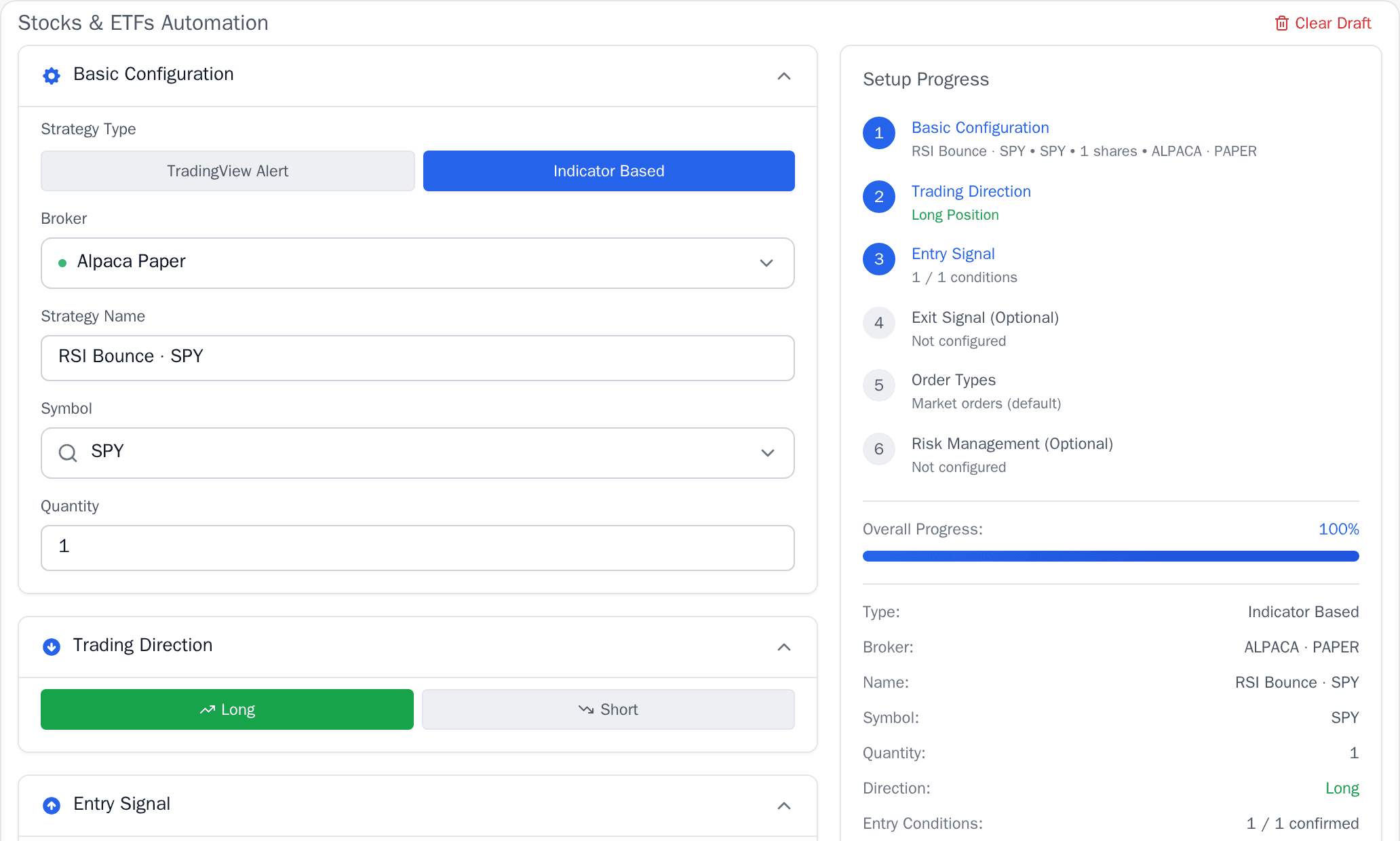
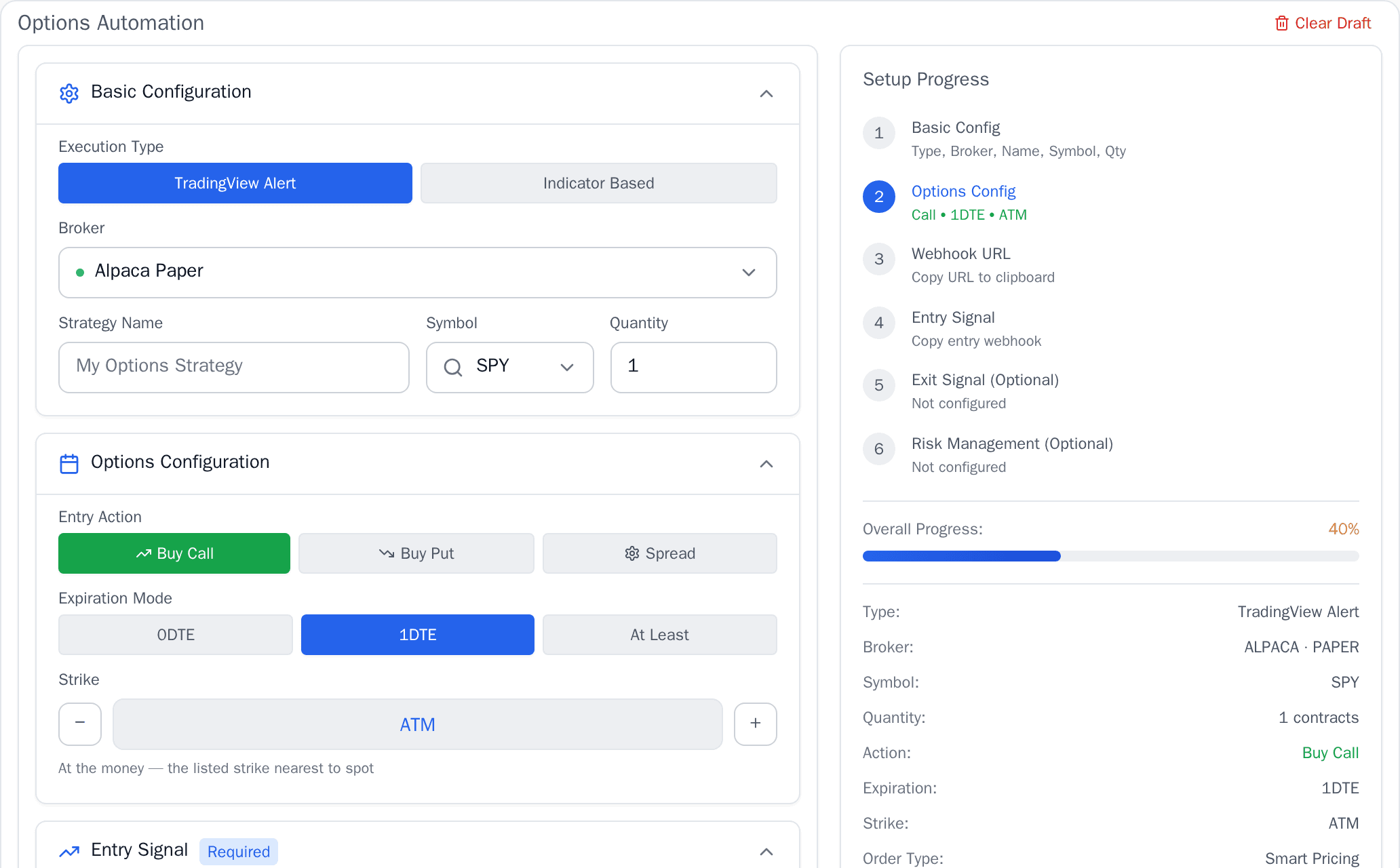
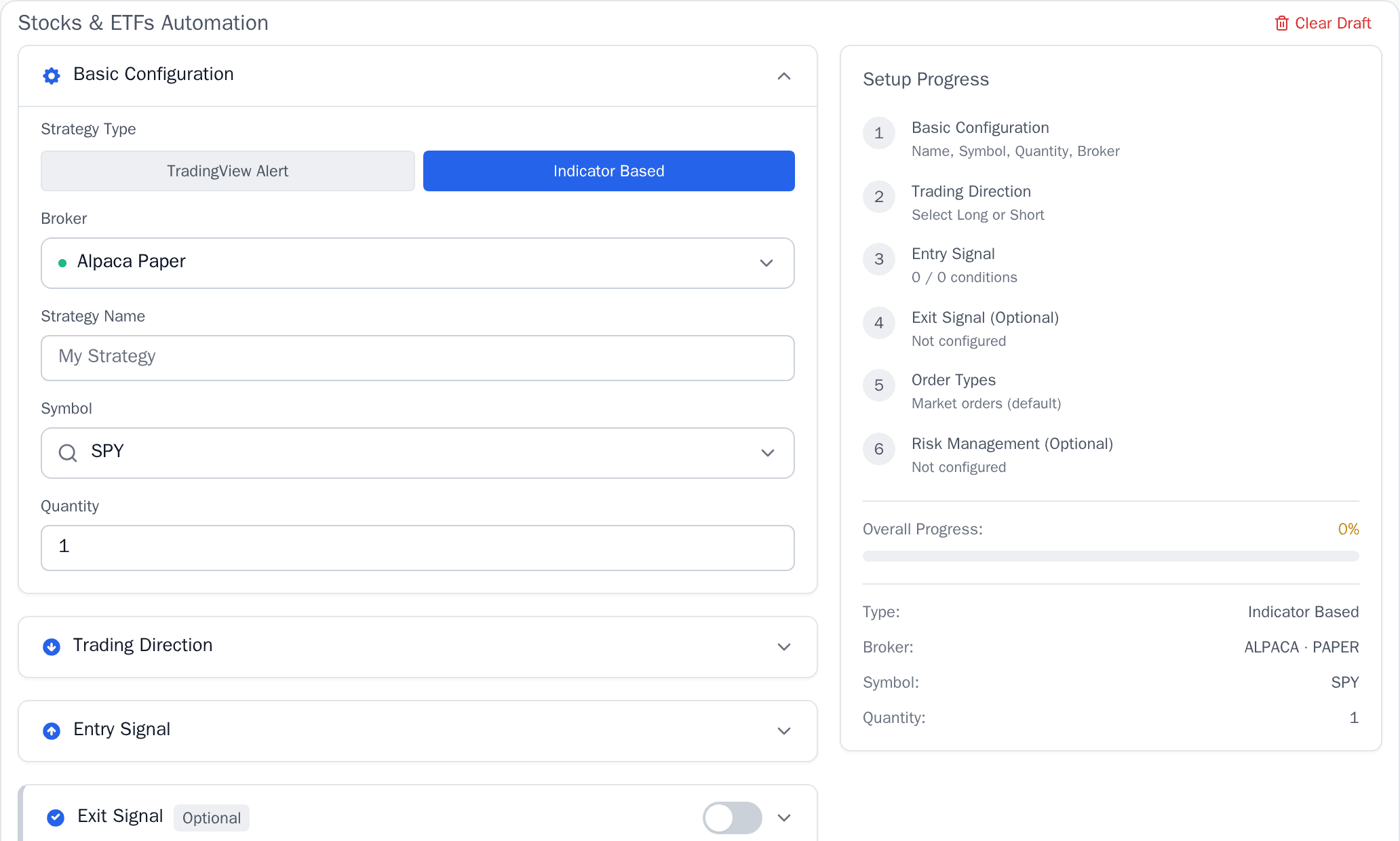
From a blank form to an armed strategy

Automation has never asked this little of you.

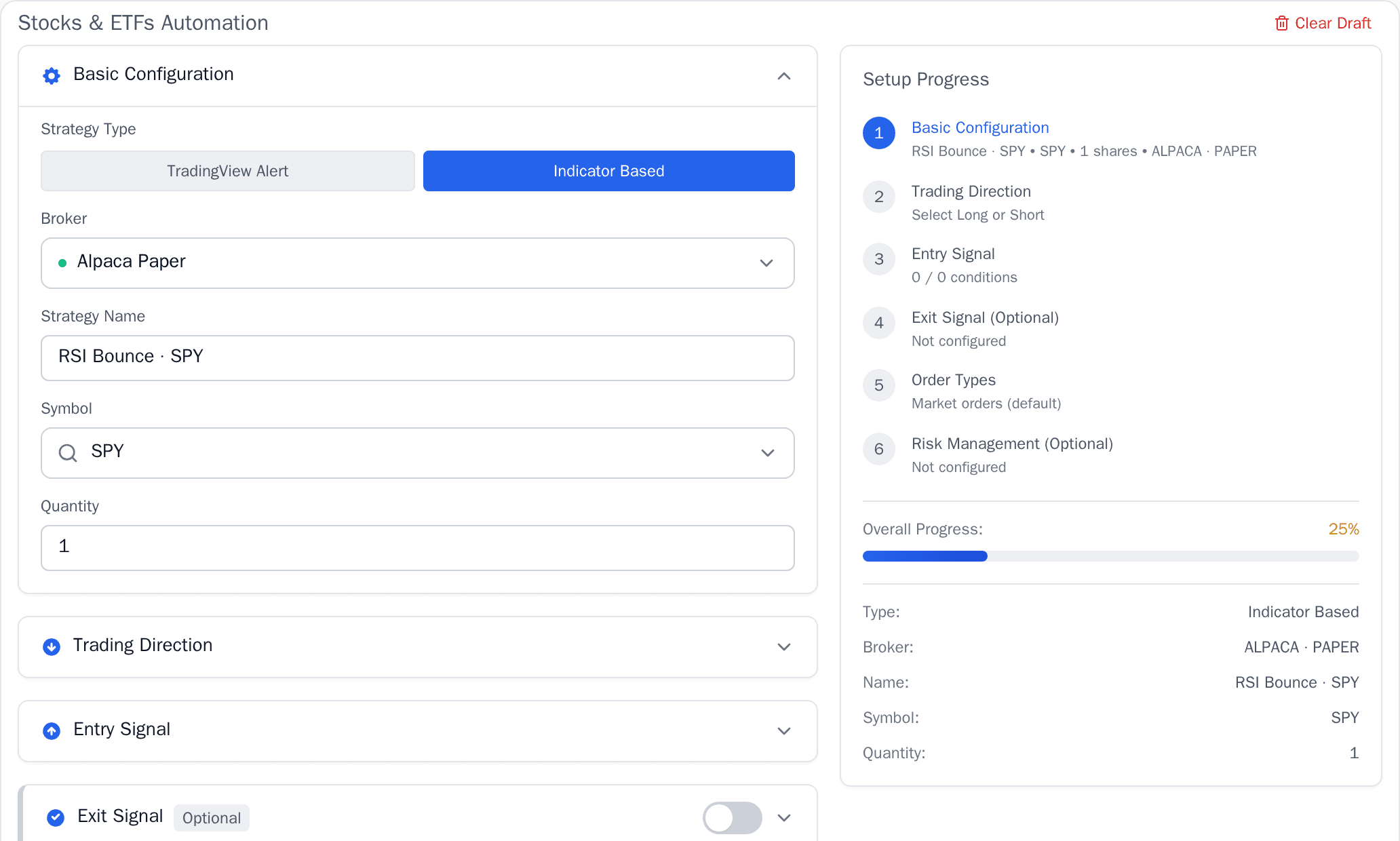
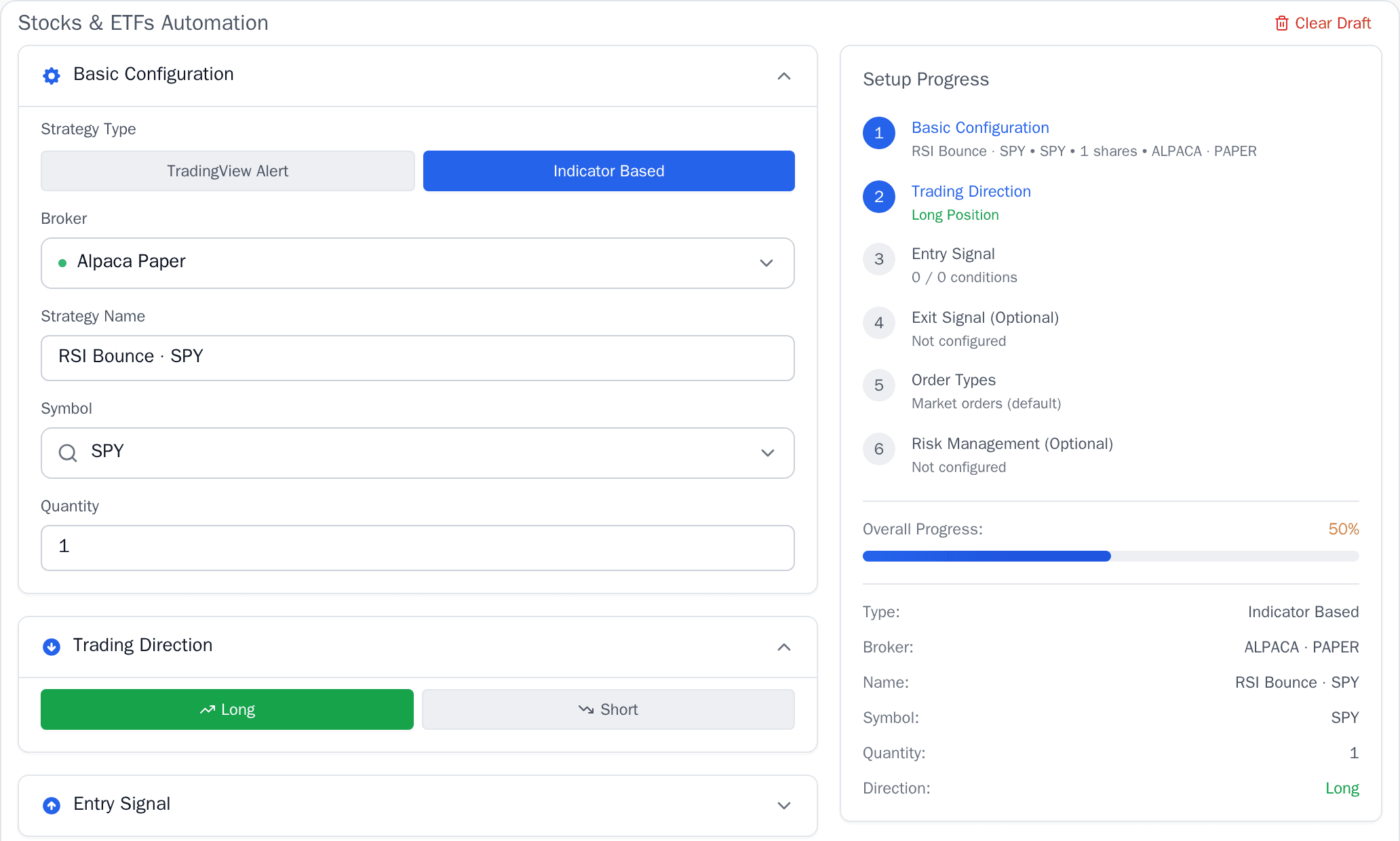
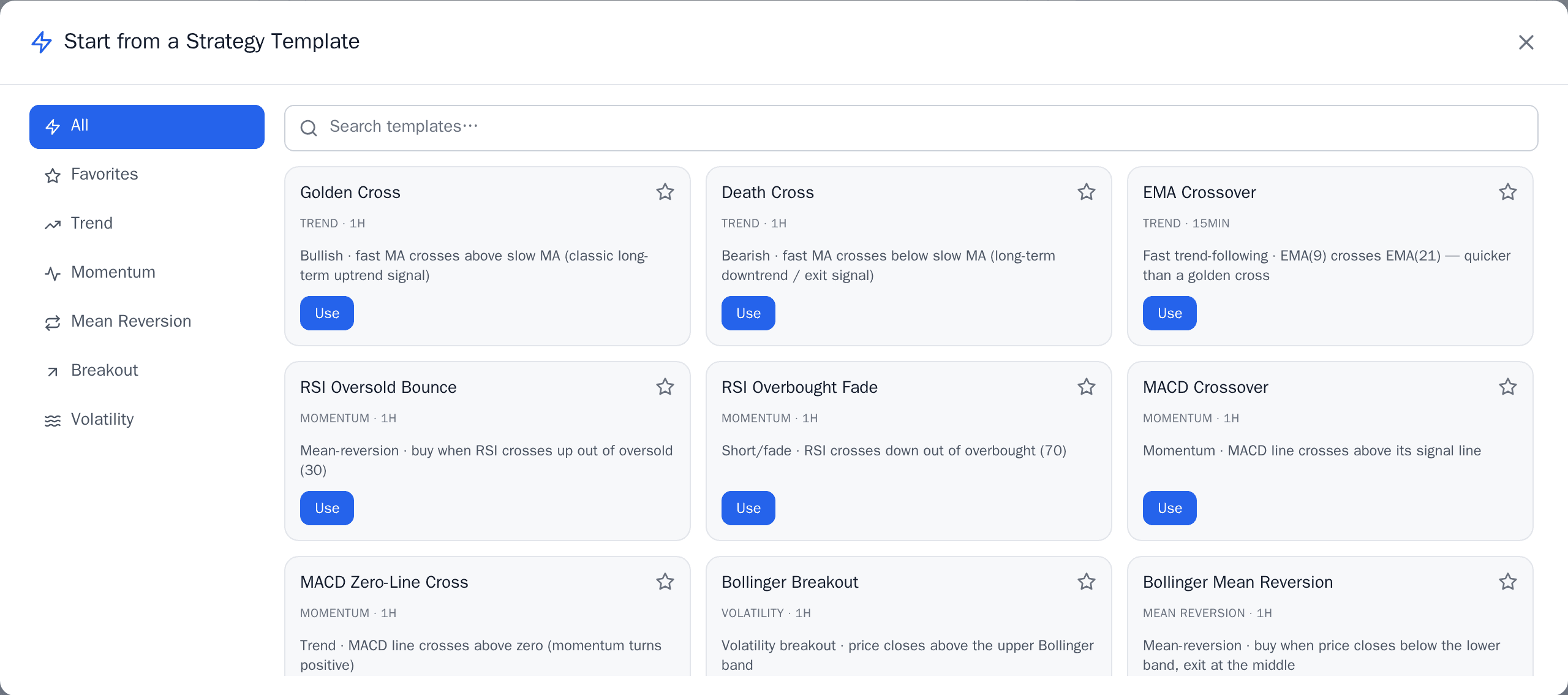
Options chains, indicator maths, expiry rules, broker plumbing: a genuinely complicated world, and none of it is what you should be spending an afternoon on. Six steps in the real application, in order.

Playing on its own. Pick a step to take over.

The KuantTrade strategy builder, empty, with setup progress at zero.

Options, without the chain-first workflow

Start with your view. Not with hundreds of contracts.

A chain asks you to already know which contracts you want. This asks what you think, then shows the structures that express it, each one graded for what it can cost you.

  • Long Call1 leg
    defined riskyou payconvex reward
  • Short Put1 leg
    bounded, but largeyou collectcapped reward
  • Bull Call Spread2 legs
    defined riskyou paycapped reward
  • Bull Put Spread2 legs
    defined riskyou collectcapped reward

Risk is graded in three, not two. A short put's worst case is bounded and knowable and can still be larger than the account, so it is neither defined nor undefined. Calling it defined would let it through a defined-risk-only filter; calling it undefined would hide a cash-secured put from someone cleared to trade one.

Automation built for the way options actually expire

A contract you name today is a different position next month. So an options rule does not carry a contract, it carries a rule for choosing one, and the resolver picks an eligible expiry every time the rule fires.

0DTE
Expiring today. The whole position resolves in the session.
Next
The next eligible expiry after today.
At least
No nearer than N days out. The usual choice for a rule meant to run unattended.
On date
A date you choose. A single date, not a range.

0DTE is not a shortcut and nothing here makes it one. A same-day expiry gives the position no time to recover from being wrong, and defined-risk structures are marked so you can see which ones cap that.

Options automation
Target
QQQ
Structure
Bull put spread
Expiry rule
at_least 7 DTE
Width
5 strikes
Entry window
10:15 to 14:30 ET
Risk
defined

The expiry is resolved when the automation runs, not when you wrote it.

Build it once. Save it. Watch it. Run it again.

  1. 01

    Build

    Pick the view, pick the structure, set the strikes as offsets rather than typed prices.

  2. 02

    Save

    Keep it as a template. Offsets survive the month a typed strike would not.

  3. 03

    Watch

    The conditions are monitored while you are not looking at them.

  4. 04

    Run

    Fire it yourself, or let the automation fire it under the same rules.

Illustrative data. The instrument, prices, strikes, expiry and figures shown are examples chosen to show how the product works. They are not live market data, not a trade, not an opinion about any instrument, and not a recommendation.

AI-native, with the boundary drawn in code

Describe the strategy. It structures the workflow.

A sentence goes in and a draft comes back with named fields, some resolved and some not. The unresolved ones are the point: it will not guess at a number it cannot carry.

You say

When QQQ 1-hour RSI crosses back above 30, prepare a bullish entry. Risk no more than 1% and test it over the last two years.

KuantAIreturned a draft, not an order
Instrument
QQQ
Timeframe
1h
Entry
RSI(14) cross_above 30
Size
needs a decision
Evaluation
2 years of 1h bars
Execution
not selected

Sizing is per-unit here: a strategy carries a quantity of shares, coins or contracts, and there is no field that means 1% of an account. Converting it quietly would be the dangerous answer, because 1% read as a quantity is one share. Name a quantity, or set a per-trade ceiling in your account guardrails, which is where a percentage genuinely lives.

Review logicRun simulationSelect broker

Five gates. The last two are not the machine's to pass.

  1. Intent readmachine
  2. Rules structuredmachine
  3. Draft validatedmachine
  4. Approvedyou
  5. Deployedyou

Not a setting, and not a promise kept by being careful. Confirming an order requires a scope that 2 of the platform's 20 are excluded from, and no API key can be issued holding one.

The same 27 tools are reachable from supported AI clients through the platform's MCP surface, under the same scopes and the same record.

How the agent layer works

Illustrative data. The instrument, prices, strikes, expiry and figures shown are examples chosen to show how the product works. They are not live market data, not a trade, not an opinion about any instrument, and not a recommendation.

Execution and accounts

Your strategy. Your broker. One control layer.

The strategy logic lives here. The money does not. Orders are transmitted to the account you already hold, under your own credentials, and the rules that produced them stay visible.

What you can trade
  • Stocks2 connectionspaper available
  • Options2 connectionspaper available
  • Crypto3 connectionspaper available
Nothing is held here
The company does not take custody of, hold, receive or control your funds, securities or digital assets at any time. They stay at your broker throughout. That is Section 4.4 of the Terms, not a marketing line.
Paper first
Every asset class can be rehearsed on a paper account, so a rule can be watched running for weeks before it costs anything. Which connections offer one is on the brokers page, next to what each covers.
Stocks, ETFs, options and crypto
One workflow across them, and each connection states which of them it actually covers rather than implying all four.
Credentials you control
They are held encrypted and used to transmit your instructions. Nothing is placed with credentials you did not connect yourself.
All 4 connections

Why it holds up

The engineering, stated as things you can check.

Not an architecture diagram. Each of these is a property you can see from the outside, and where a figure exists it is one a test pins to the code that produces it.

Inspectable

You can see what it is thinking

Not just open or closed. Watching, setup forming, armed, triggered, managing, invalidated. Every change is an event with a time on it.

25guardrails

Risk runs before the order exists

Position, exposure, sellable balance and autonomy checks all run first. A refusal names the rule that refused, and that id is what the audit row carries.

56indicators

Rules the engine really evaluates

Each condition carries its own timeframe and symbol, so a one-hour trigger can sit beside a daily filter and a signal on one instrument can trade another.

Multi-asset

One workflow, four markets

Stocks, ETFs, options and crypto move through the same lifecycle, so what you learn on one is not thrown away on the next.

27agent tools

Machines get the same rails

The AI surface reads and proposes through the same scopes, the same guardrails and the same record as the app. It gets no private path.

Auditable

Answerable after the fact

Which rule fired, what it was checked against, who approved it and which ruleset version was in force. Written down, not reconstructed.

There is no latency figure, uptime percentage or throughput number on this page. Nothing here may print a benchmark that has not been measured and approved for publication, and a blank is better than a number a reader would have believed.

Your next strategy should not end at the signal.

Build it. Test it. Connect it. Run it. Watch it.

From the first condition to the final execution, on the brokerage account you already hold. Begin with paper trading and move forward when you are ready.